
Quick answer: Recently, if you frequently open Instagram on a computer (Chrome/Edge), you should have discovered a super annoying bug: a friend sent you a link to a funny Reels short film, but when you clicked on it, the browser jumped to a completely unrelated random video, or started playing the next recommended content directly? The most bizarre thing is that after cross-testing, it was found that: ❌ When logging in to the account: Clicking on the link will jump randomly and the video cannot be viewed accurately. ✅ Log out or use incognito mode: the link will work normally! This is not a virus on your computer, this is a system-level Instagram that will appear in the second half of 2025…



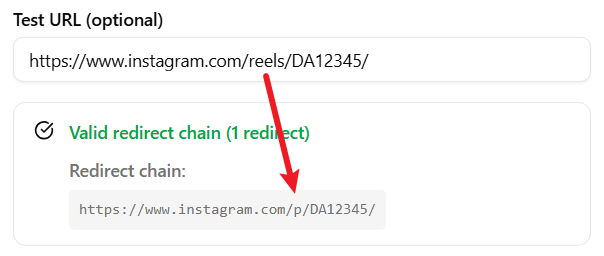
Use this checklist while following the detailed procedure in the article.
- Review the requirements and risks
Confirm that the service, account, device, network, permissions, fees, and risks described in the article apply to your situation.
- Follow the procedure in order
Complete the visible steps and use the exact values, links, settings, or commands shown in the article. Do not skip warnings or verification points.
- Verify the result and troubleshoot
Compare the result with the expected outcome in the article. If it differs, review the troubleshooting section before repeating or reversing an action.
Frequently asked questions
This article explains Instagram Reels Link Opens the Wrong Video on Desktop? Automatic Fix (2026) and presents the relevant steps, requirements, expected results, and risks in a structured format.
Yes. Product availability, fees, policies, interfaces, and technical requirements can change. Check the official source linked in the article before acting.