Skip to content

踢科技|T-NEWS

工程師角度的科技3C媒體

Google gemini error code 1099

How to fix Gemini App error 1099

2026-06-29 踢科技 | T-NEWS Tutorials

After contacting support, this was confirmed to be a Google backend technical issue. If the methods below still do not work, try using Gemini with another Google account first.

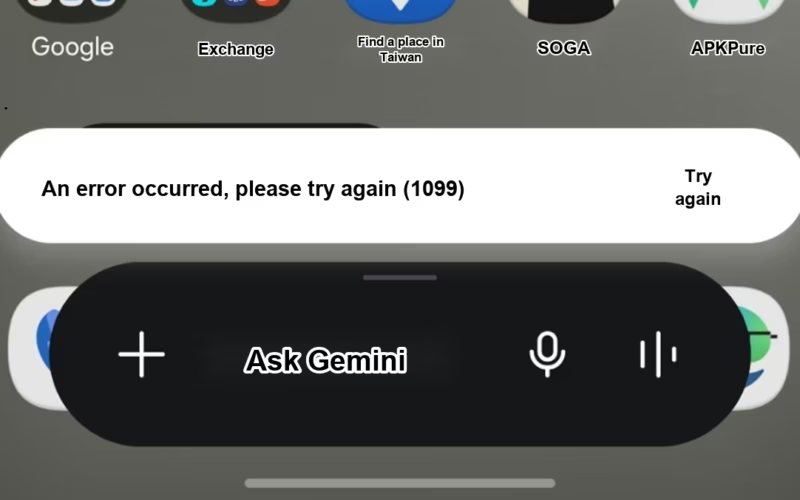
If the Gemini App suddenly shows error code 1099 and stops working normally, do not panic. In many cases, the problem is related to your Google account age verification status or cached login data stuck on Android.

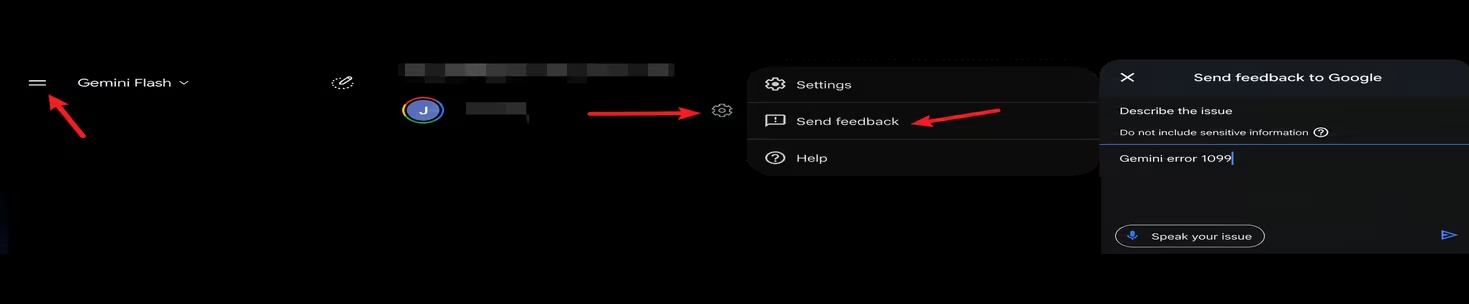
After contacting Google support, the key advice was that some AI features may not work correctly if the account has not completed the required verification. I rewrote the support steps and the actual phone settings into the process below.

Gemini 1099 error fix steps

1. Complete Google account age verification first. This is the most important step. Open Google’s official page, sign in, and confirm that your account has passed age verification: Google account age verification.

2. Uninstall the Gemini App. After verification, open the Google Play Store, search for Gemini, and choose Uninstall to remove the app completely from your phone.

3. Temporarily remove the Google account from the device. To clear the old login state, refresh the account from the Android system level.

Important: before removing the account, make sure you know the Google email address and password. You will need to sign in again later.

  • Open the phone’s Settings.
  • Find Accounts, Passwords and accounts, or Google, depending on your Android model.
  • Select the Google account used with Gemini and remove it from the device.

4. Restart the phone. After removing the account, restart the phone completely. This helps Android clear cached account and app state.

5. Add the account again and reinstall Gemini. After the phone starts, go back to account settings, add the same Google account again, then install Gemini App from the Play Store.

Finally, open the Play Store and reinstall Gemini App.

Related guide: if you are also exploring AI tools and crypto payments, read this ether.fi Cash card guide to learn how to sign up, deposit funds, and earn up to 3% cashback on everyday spending.

After following the full flow of age verification, uninstalling the app, removing the account, restarting the phone, signing in again, and reinstalling Gemini, open Gemini again. In most cases, error 1099 should be resolved.

Age verificationAI toolsAndroidApp troubleshootingError 1099Error codeError1099GeminiGemini AppGemini1099Google AccountGoogle PlaySupport guide

Post navigation

Previous Post:How to manually downgrade an Oracle Cloud instance to stay within the free tier
WordPress Theme: Gridbox by ThemeZee.